Claim $140 in Free Exa API Credits: New Promo Codes for Developers
Are you building AI agents, large language models (LLMs), or advanced search features? If so, you know that gathering high-quality, real-time web data can quickly become expensive. Fortunately, Exa AI (formerly Metaphor)—the search engine designed specifically for AI agents—is currently offering multiple promotional coupon codes that let you claim up to $140 in free API credits.
Here is a quick guide on how to secure your free credits and supercharge your AI applications without spending a dime.
Table Of Contents
Add a header to begin generating the table of contents
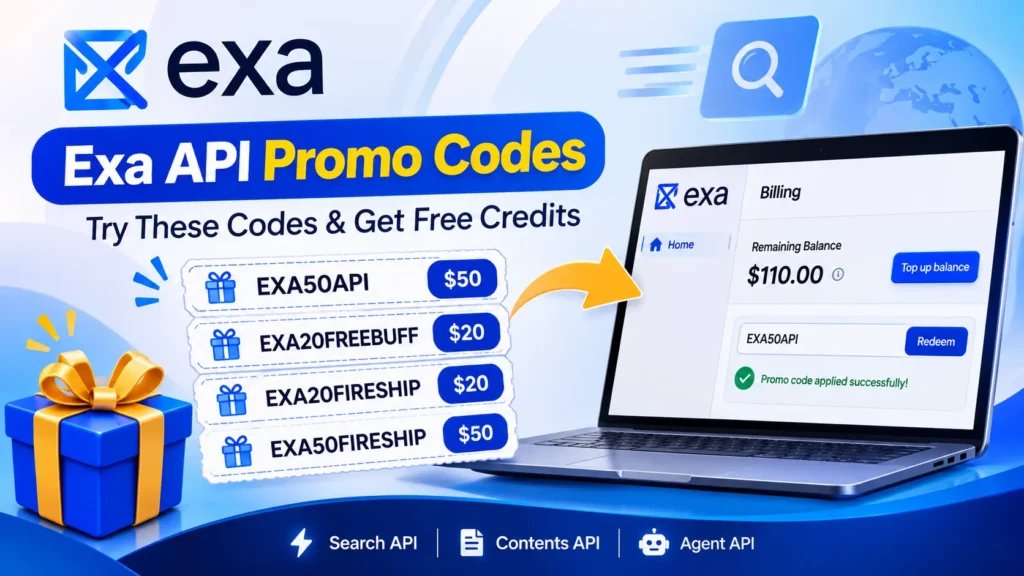
Working Exa Api Promo Codes & Free Credits (2026)
You can stack or use these active promotional codes in your Exa dashboard to build up your development balance:
Promo Code
Credit Value
Type
EXA50API
$50
One-time credit
EXA20FREEBUFF
$20
Long-term credit
EXA20FIRESHIP
$20
Long-term credit
EXA50FIRESHIP
$50
Long-term credit
Stacked together, these codes can add up to $140 in credits on top of your $10 monthly free allowance – enough to run a meaningful proof-of-concept or side project without spending anything out of pocket.
fexaBy applying these codes, you can elevate your remaining balance significantly – letting you test out Exa’s powerful Search, Agent, and Contents endpoints completely risk-free.
Getting your credits applied to your account takes less than a minute. Follow these simple steps:
Sign Up or Log In: Go to the official Exa AI Dashboard and log in using your email, Google account, or Single Sign-On (SSO).
Navigate to Billing: From the left-hand management sidebar, click on the Billing tab.
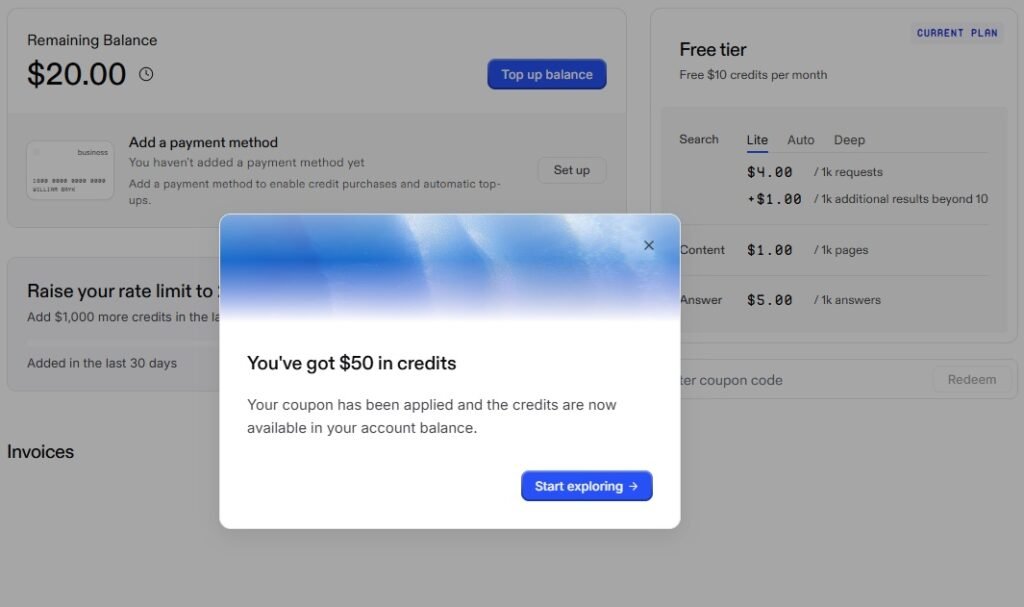
Enter Coupon Code: Scroll down to the “Enter coupon code” section on the billing overview page.
Redeem: Type or paste your code (e.g., EXA50API) and hit Redeem.
Start Exploring: A modal will pop up confirming your applied balance (e.g., “You’ve got $50 in credits”). Your updated remaining balance will reflect immediately on your dashboard.
If a code doesn’t apply, double-check for typos or try a different code from the list above, since promotional codes occasionally expire or get replaced.
What Is Exa AI?
Exa is an AI-powered search platform that helps developers retrieve useful information from the web.
Unlike traditional search tools, Exa is designed with AI applications and agents in mind. It offers several useful capabilities:
Search API: Find relevant information from the web.
Contents API: Retrieve content from web pages.
Agent API: Perform more advanced research.
Deep Search: Explore topics through deeper searches.
Monitors: Track information and changes over time.
If you’re building AI agents, research tools, or applications that need fresh web information, Exa is worth exploring.
Why Developers Choose Exa AI
Exa isn’t a traditional keyword search engine. It is a massive vector database tracking over 2 trillion URLs and crawling billions of pages daily using specialized retrieval models. Top-tier engineering teams like Cursor, HubSpot, Groq, and Cognition (creators of Devin) rely on Exa to feed high-signal data to their agents.
With your free credits, you can test Exa’s three core endpoints:
Neural Search (exa.search): Query the web using natural language or code embeddings rather than rigid keywords.
Contents API: Retrieve clean, token-efficient HTML or markdown text from any webpage, complete with powerful semantic highlights.
Structured Outputs: Instantly convert massive web text into structured JSON arrays (perfect for company profile enrichment, legal parsing, and lead generation).
Make sure to double-check your billing dashboard to confirm the promotional codes applied successfully. Happy building!
Is Exa API Worth Trying?
If you’re a developer or someone experimenting with AI-powered applications, Exa is worth checking out.
Its search and content APIs can help you build AI research assistants, web-search agents, and other applications that need relevant online information.
Getting promotional credits first is a good way to explore the platform before purchasing additional credits.
Is Exa AI free to use?
Yes. Every new Exa account includes a free tier with $10 in credits per month, no credit card required to sign up.
Who uses Exa in production?
Exa's customers include Cognition (Devin), Cursor, HubSpot, Revolut, and Firefox, among other engineering teams building AI agents and search-powered products.